Integrating Drone Imagery into Your Creative and Professional Workflow
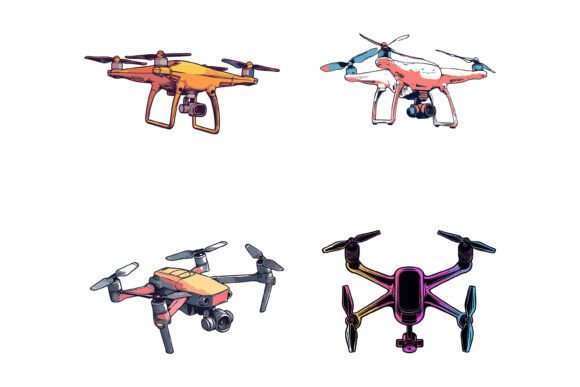
The use of drone technology has transcended its novelty phase, becoming an indispensable tool for capturing unique perspectives. While drones provide the raw visual material, the true value is unlocked when that footage is seamlessly integrated into broader creative and business processes. For professionals across industries, drones are not just flying cameras; they are data-gathering and content-creating assets that feed directly into planning, execution, and final delivery.
Strategic Planning and Pre-Production with Drone Assets
Incorporating drone imagery effectively begins before the drone even takes off. For marketers, architects, or event planners, the decision to use a drone is often part of a larger content strategy or project blueprint. Consider a real estate developer creating promotional materials. The drone footage of the property becomes a foundational visual asset. The workflow starts with identifying the need for an aerial view to showcase land scope or proximity to amenities. This decision influences the subsequent steps: scheduling the drone shoot, determining the required shot list (wide panoramas, specific angle approaches), and ensuring the captured files are in a format compatible with the design tools used later.
This pre-production phase highlights the importance of compatibility and organization. Drone footage, often high-resolution and in specific file formats, must be ingested into a workflow where it can be edited, enhanced, and combined with other elements. Professionals think ahead about how the raw drone JPGs or videos will be stored, labeled, and accessed by team members or integrated into asset libraries for long-term use.
The Execution Phase: Capturing and Processing Raw Material
During the active project phase, the drone serves as a specialized tool within a toolkit. Its operation interacts directly with other resources and decisions. A documentary filmmaker, for instance, might use a drone for establishing shots while a ground team captures interviews. The drone’s role is specific and timed to complement other filming methods. The focus here shifts to quality control and consistency. Ensuring drone shots match the lighting, color grading, and stylistic tone of the ground footage is a practical execution challenge. This requires either on-site adjustments or a clear post-production plan to harmonize all visual assets.
For simpler projects, like a blogger creating a travel post, the execution is more linear: capture drone footage of a landscape, transfer the files to a computer, and begin the editing process. The key observation is that the drone’s output becomes an input for the next stage. Its usability is judged not just by flight stability, but by how smoothly the generated files move into the creator’s standard software environment, whether that’s Adobe Creative Suite, a video editor, or a simple blog media library.
Post-Production and Integration with Design Systems
After capture, drone imagery enters the most critical phase for value creation: integration into final outputs. This is where raw aerial photos or video clips are transformed into polished content. Here, drones interact profoundly with other assets, particularly graphic design elements. A common use case is overlaying drone footage with typography, logos, or interface elements for a promotional video. Another is using a still drone image as a key visual in a website header, brochure, or app background.
This integration demands more than just placing an image; it requires the drone asset to be flexible and editable. A drone JPG used as a simple background might suffice, but for professional design work, consistency in style across all project materials is paramount. Designers often need to extract elements from the drone image, adjust colors to match a brand palette, or create derivative icons and symbols inspired by the aerial perspective. This is where having well-organized, high-quality source files becomes a efficiency multiplier. A neatly structured drone image file, with clean layers if available, allows a designer to modify it without degrading quality, saving hours of manual masking or correction work.
Enhancing Workflows with Specialized Graphic Collections
To bridge the gap between raw drone imagery and polished design, many creators utilize supplementary asset collections. These resources, like specialized AI EPS illustration sets, are designed to complement primary visual sources such as drone footage. Imagine a marketing team that has stunning drone video of a new tech campus. They now need to create an infographic about the campus's sustainable features. The drone footage provides the authentic backdrop, but the infographic requires consistent, editable icons of solar panels, green buildings, and transport systems.
An AI EPS illustration set built for technology or environmental themes fits perfectly into this workflow. The designer can pull icons from this curated set, ensuring perfection in details and stylistic consistency with the project's overall look. Because the file includes editable AI EPS and JPG formats, it is designed for both Mac and Windows users, eliminating compatibility hurdles. The neat file and layer structure allows for rapid editing—changing colors to match the brand colors used elsewhere in the campaign or modifying an icon shape to better suit the layout. This synergy between drone-captured realism and vector-based illustration clarity results in a final product suitable for print, web, symbols, and apps.
Long-Term Asset Management and Reusability
A practical implementation tip for professionals is to view drone content not as a one-off asset but as a component of a growing digital library. A well-organized archive of drone footage from various projects can be repurposed for future needs. Similarly, the complementary illustration sets purchased for one project often find use in another, provided they are versatile and of high quality. This approach underscores long-term use and efficiency.
For a small business owner or freelancer, this means building a personal toolkit of reliable assets. Drone imagery you capture today for a client's site survey might be used tomorrow in a training manual. The associated icon set you used for that client's app interface could be modified slightly for a different client's webinar slides. The key factors are the editability and suitability of the assets. Can you easily modify the icon so easily according to your needs? Does the drone photo retain enough resolution and clarity for different mediums? Investing in quality source materials, both captured and purchased, streamlines future workflows and maintains a high standard of quality control across all your outputs.
Streamlining the Complete Creative Process
The full workflow, from planning to delivery, illustrates how drones and supporting design assets fit into a real-world process. It starts with a strategic need for a unique perspective, moves to the technical execution of capturing that perspective, and culminates in the creative execution of integrating it with other elements to communicate a message effectively. Each phase requires consideration of the next. Preparation for the drone shoot involves thinking about post-production needs. Processing the drone footage involves ensuring it works with your standard design software and supplementary assets.
Ultimately, the goal is a smooth integration that feels effortless. When a drone image pairs seamlessly with a set of clean, editable illustrations, the designer's focus remains on creativity and communication, not on technical fixes. This harmony between different types of digital assets—captured and curated—empowers professionals, educators, bloggers, and creators to produce work that stands out, conveys information clearly, and can be adapted efficiently for multiple purposes and platforms.